Smart Call Queues Management
Keep your callers engaged and your team organized with smart call queue management.
Add a personal touch with custom greetings, messages, and music on hold, or give customers the option to request a call back instead of waiting on hold.
Flexible and easy to set up, it helps you deliver a smoother calling experience while reducing missed opportunities.
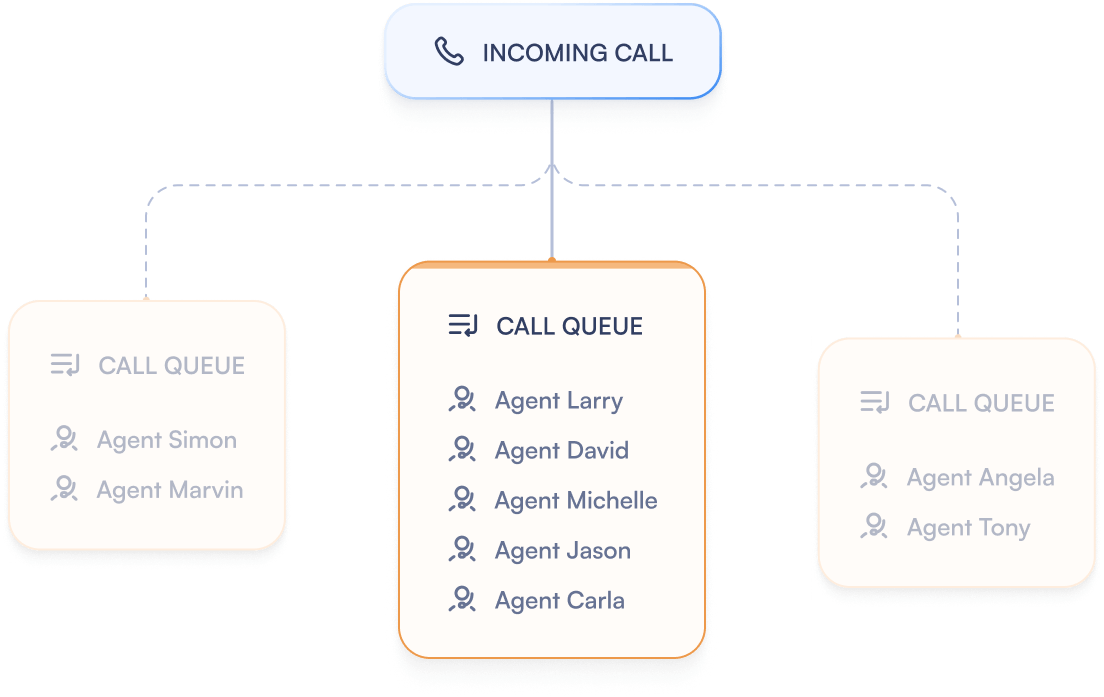
Set up smart call queues that reduce wait times and match every caller to the right agent
PBX.IM makes handling incoming calls simple. Organize queues, cut down wait times, and give customers a smoother experience from the very first ring.
Automatic Call Distribution
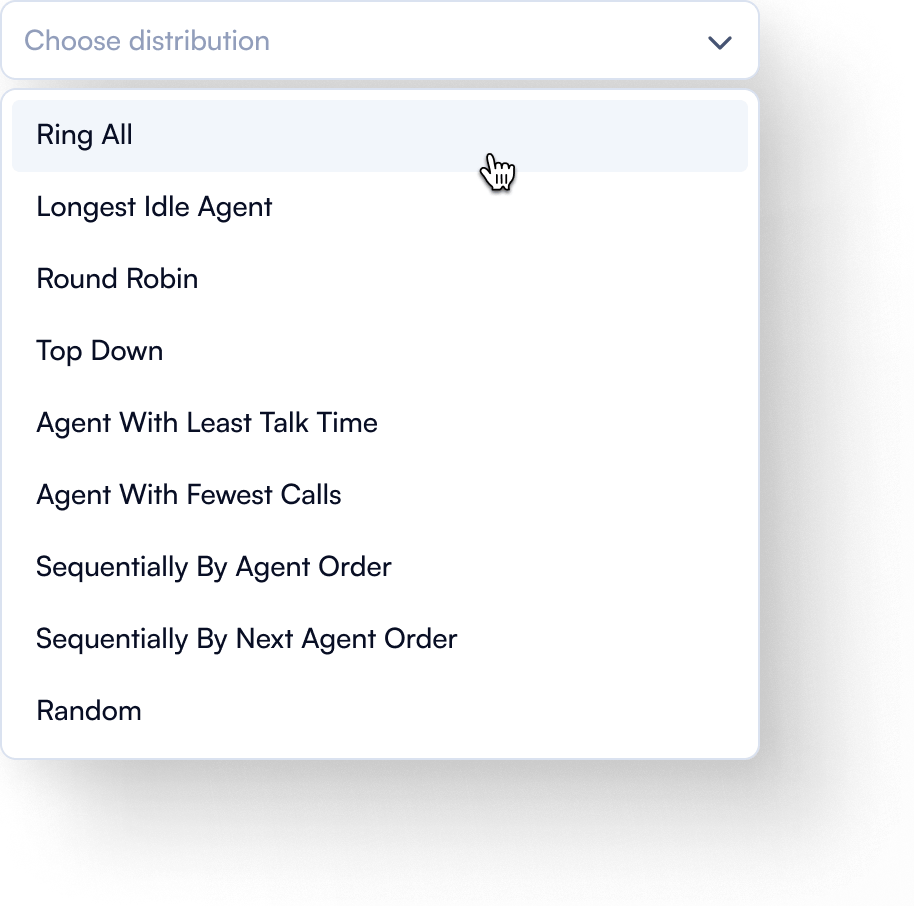
Easily configure how calls are routed to match your business needs and team structure. PBX.IM lets you distribute calls by time routing, team availability, agent skills, or even through simple round-robin allocation.


Frequently Asked Questions
What is call queuing?
What is call queuing?
A calling queue happens when a business has more incoming calls than available agents. The VoIP telecom technology with an enable feature as call queuing will automatically put incoming calls into a queue and subsequently route these calls to agents.
How does call queuing work for the caller?
How does call queuing work for the caller?
The customer just makes a call and the call queue system takes care of the rest, automatically routing them to the next available agent.
How does call queueing work for a business?
How does call queueing work for a business?
With a call queue, companies don’t lose callers due to busy signals and overwhelmed agents. Usually, incoming calls are routed on a first-come, first-out basis, numbers are recorded, and then calls distributed to the first-available agent.
However, PBX.IM also enables routing to agents according to specific customer needs or agent specialization - improving both agent performance and customer satisfaction. PBX allows queues based on a fixed call order, time or skill-based routing, as well as agent talk time, fine-tuning call routing to each business's individual needs.
Finally, companies can use messaging during the waiting period to inform customers about new products and services.
What does queue time mean?
What does queue time mean?
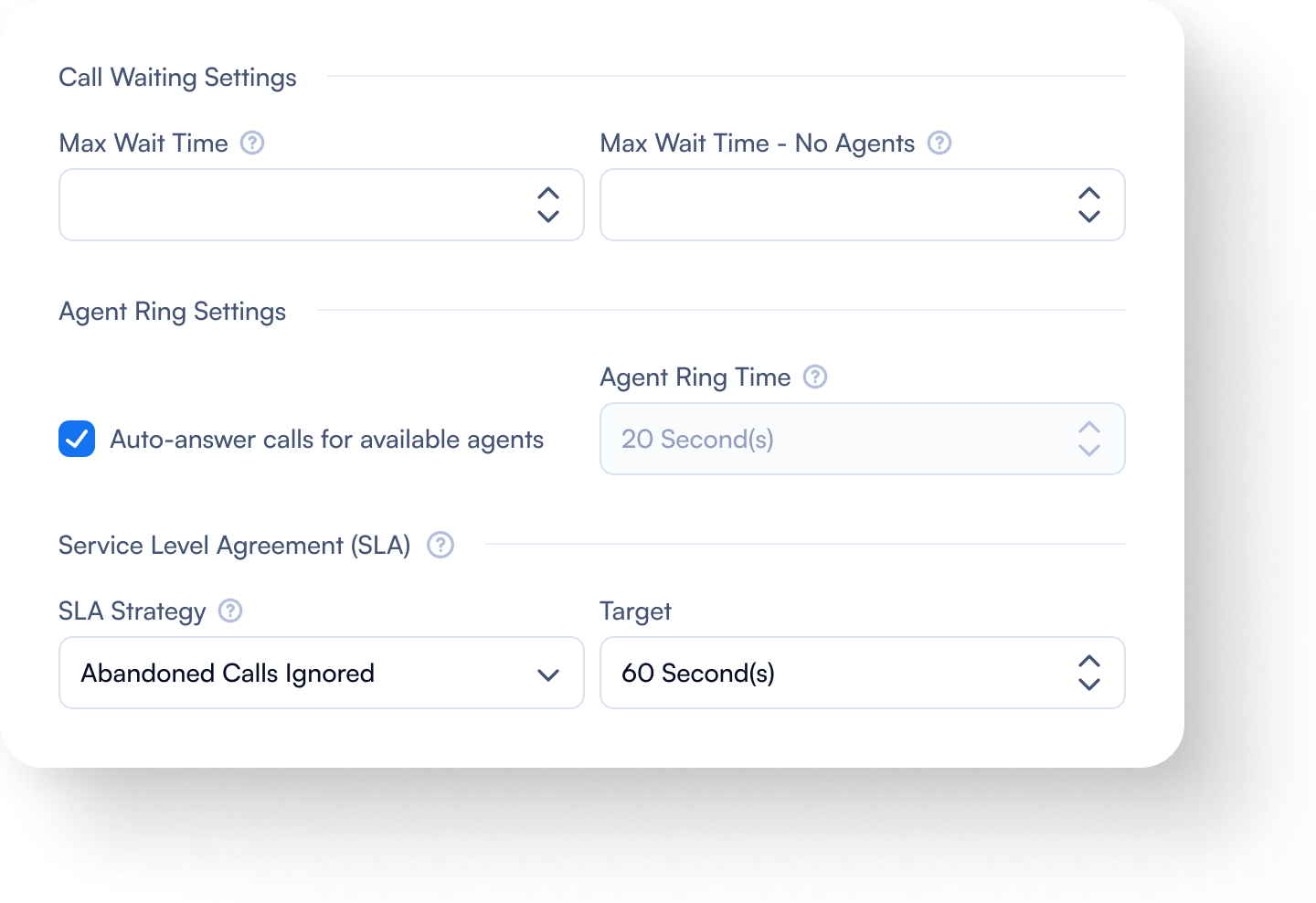
The queue time is the variable length of time between when the call is entered into the queue and when an agent receives the call. PBX.IM call queue can give callers information about their position in line and the estimated total queue time.
How to create a call queue in PBX.IM?
How to create a call queue in PBX.IM?
Creating a call queue in PBX.IM is a critical step in setting up the VoIP system. Settings for the queue are established by the administrator without the need of an external specialist.
These variables include picking the call queue numbers, individual agents, and the business hours for operating the queue.
The administrator also selects which teams and agents will receive incoming calls and how the calls will be allocated, enabling the more effective utilization of each agent.
The call queue is automatically created when there are more incoming calls than agents to answer them. Callers are placed on hold, with their calls subsequently distributed to available agents on a first-in, first-out basis. While callers are on hold, they can also get messages about new products or services along with information about their place in line and the remaining wait time.
How to set up call queuing for success?
How to set up call queuing for success?
Call queuing is like many other business processes – it should be fine-tuned to meet the individual business needs and strategy. Current industry best practices include automated call distribution, using individual call data for training, and call forwarding.
It’s not just about the choice of on-hold music. Greetings, as well as other messages played while the customer is in the queue, should be as informative and useful as possible. Of course, hold times should not be extended to allow for more advertisements, but reduced as much as possible to quickly resolve issues or answer questions.
For true success, companies should be able to customize their VOIP system themselves without needing external specialists.
What is the difference between a call queue and auto attendant?
What is the difference between a call queue and auto attendant?
While both call queues and the auto attendant feature streamline call handling and enhance the user experience, they have different functions and are used in different contexts.
Auto attendant is an automated system that answers incoming calls and provides callers with a self-serve menu of options to choose from, essentially serving as a virtual receptionist.
Call queues, on the other hand, are used to manage large volumes of incoming calls by placing them in a waiting line when the intended recipients (like customer service agents or sales teams) are busy with other calls.
Auto attendants primarily handle initial call routing based on user inputs, thus automating the receptionist functions. Call queues are designed to manage the flow of calls to agents by keeping callers in line until someone is available to attend to them.
Auto attendants interact with callers through menu selections, while call queues involve waiting until a live agent is available.
Call queue can become complex depending on the rules for call distribution and queue management, whereas auto attendants are typically straightforward in their setup.
Both systems can be used together to create a robust call management system. For example, an auto attendant can route a caller to a particular department, and if all agents are busy, the call can then be placed in a queue. This combination enhances the efficiency of handling incoming calls, improves caller experience, and ensures that calls are answered as quickly as possible, minimizing lost calls and maximizing customer satisfaction.